| 일 | 월 | 화 | 수 | 목 | 금 | 토 |
|---|---|---|---|---|---|---|
| 1 | 2 | 3 | 4 | 5 | ||
| 6 | 7 | 8 | 9 | 10 | 11 | 12 |
| 13 | 14 | 15 | 16 | 17 | 18 | 19 |
| 20 | 21 | 22 | 23 | 24 | 25 | 26 |
| 27 | 28 | 29 | 30 |
- texture
- unity
- Dot
- Class
- json
- python3
- AR
- shader
- google signin
- Firebase
- jackandthebeanstalk
- UX
- language
- 언어
- BigData
- UI
- google play games services
- tool
- smoothness
- Python
- gpgs
- Google Play Console
- GCP
- Standard
- 개발
- c#
- 파이썬
- vm instance
- Specular
- RIM
- Today
- Total
Crazy Lazy
Addressable - 리소스 관리 본문
Addressable 을 이용하여 새버전 출시를 하지 않고 패치를 진행할 수 있다. 단, 소스 변경이나 구조 변경 등은 불가하고, 이미지나 json 파일, SO 파일 등 리소스 형태만 가능하다. (실제로 불가능하진 않지만 그냥 불가능하다고 보면 된다.)
Addressable 을 사용하는 방법은 아래와 같다.
1. 패키지 다운로드.
2. 서버.
3. 패키지 설치.
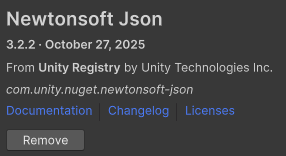
1) com.unity.nuget.newtonsoft-json 설치
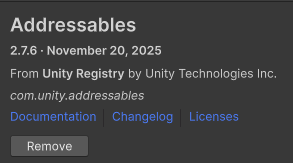
2) addressable 설치.
4. 설정.
1) Build Profile 의 플랫폼을 Android 로 switch.

2) Tools > Addressabels Bootstrap > Quick Setup Wizard 클릭.
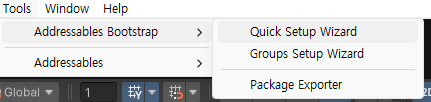
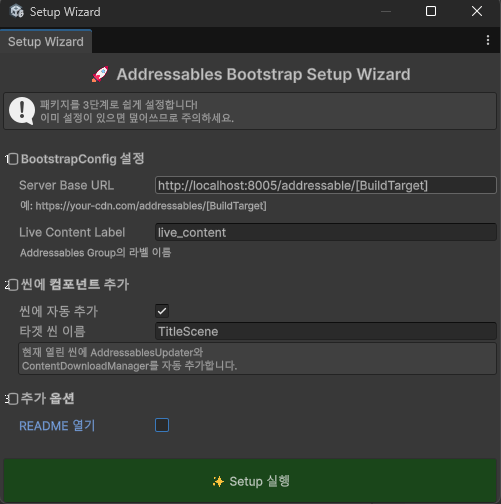
3) 서버 기동했다면, 아래 사진과 같이 변경 후 Setup 실행 버튼 클릭.
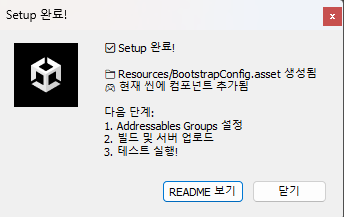
4) 닫기 클릭.
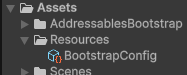
5) 생성된 BootstrapConfig 파일 확인.
6) Window > Asset Management > Addressables > Groups 클릭.
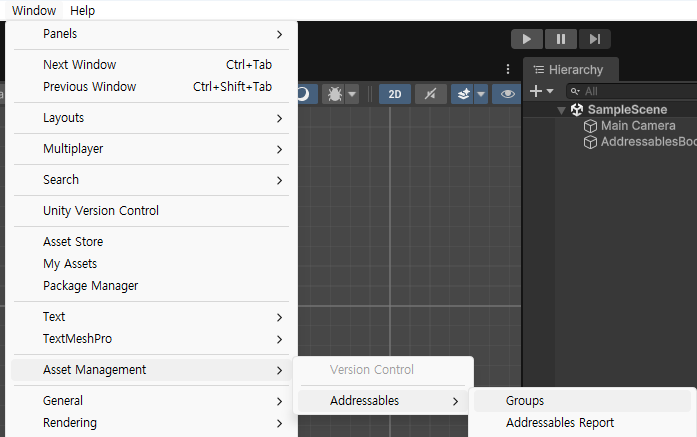
7) 나타난 창을 Console 탭 옆에 위치 후 Create Addressables Settings 클릭.
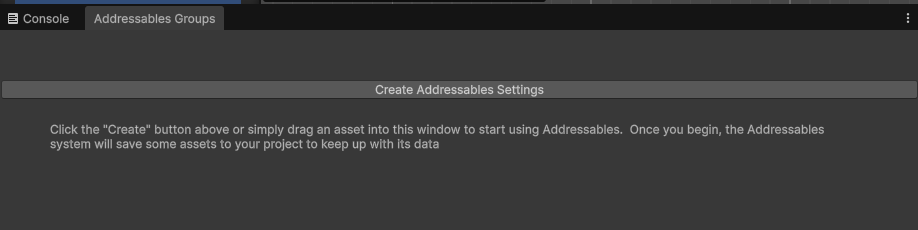
8) 생성된 내용 확인.

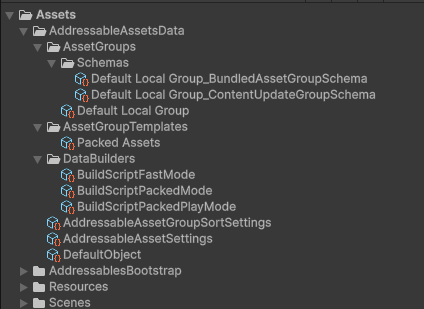
9) Addressables Groups > Profile > Manage Profiles 클릭.
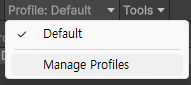
10) Remote.LoadPath 에 아까 기입한 사이트주소를 동일하게 기입.
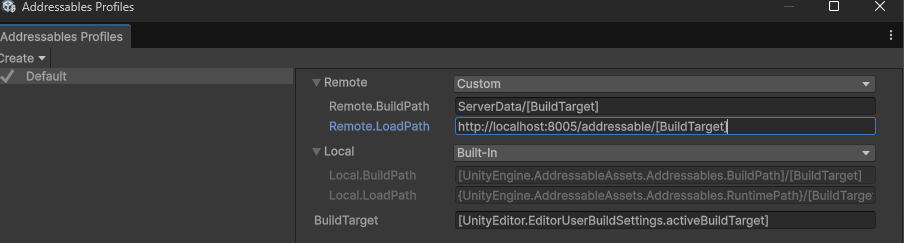
11) 관리할 대상을 생성한 그룹에 드래그앤 드롭.
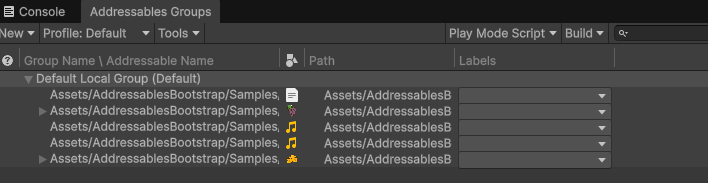
12) Addressable Name 변경.
json 파일은 소스에 기재할 내용과 동일하게 Name 해야하고, json 안의 key 와 그룹 내 위치한 리소스 Name 도 일치시켜야 함.
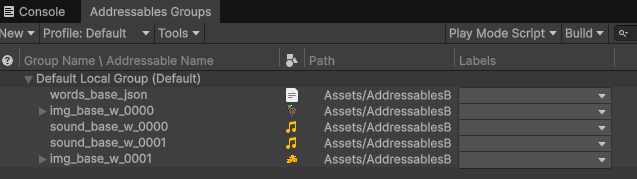
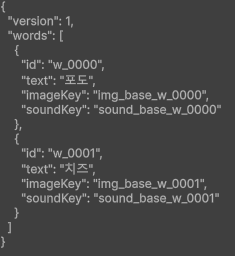
13) Play Mode Script > Use Existing Build (Android) 선택.

14) Build > New Build > Default Build Script 클릭.
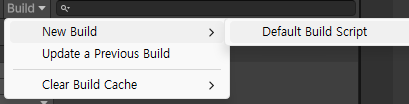
15) Yes 클릭.
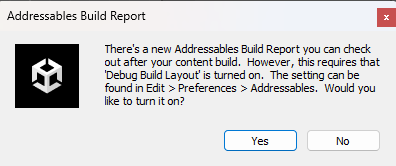
16) 결과 확인.

17) Tools > Addressables Bootstrap > Groups Setup Wizard 클릭.
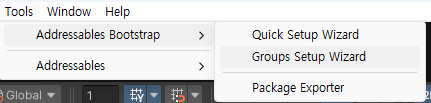
18) Groups 자동 생성 클릭.
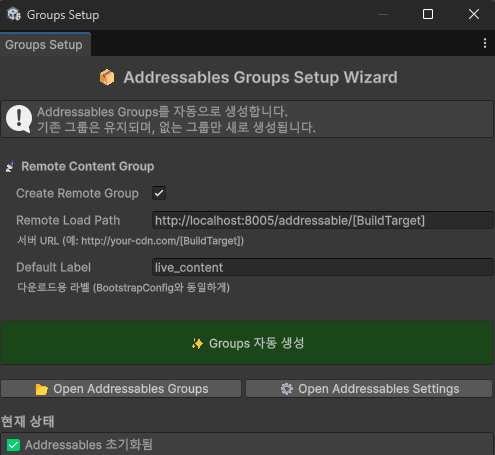
19) 원격으로 반영할 파일 목록을 그룹으로 이동 후 Name 및 Label 변경.
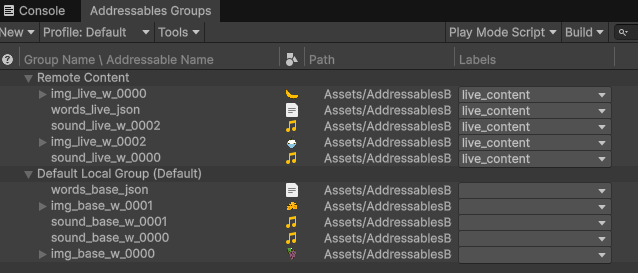
20) Build > New Build > Default Build Script 클릭.
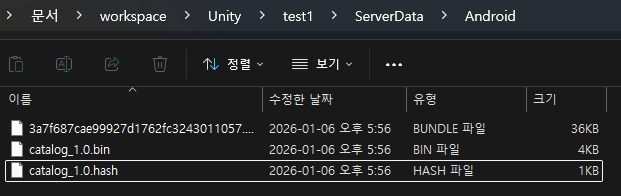
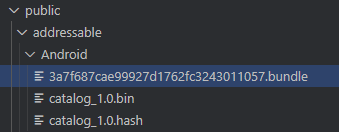
21) 생성된 파일 업로드. (ui 없을 경우엔 public > addressable > Android 폴더 하위에 넣을 것)
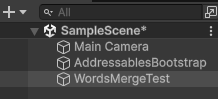
22) WordsMergeTest 빈 오브젝트 생성 후 WordsMergeTest.cs 컴포넌트로 추가.
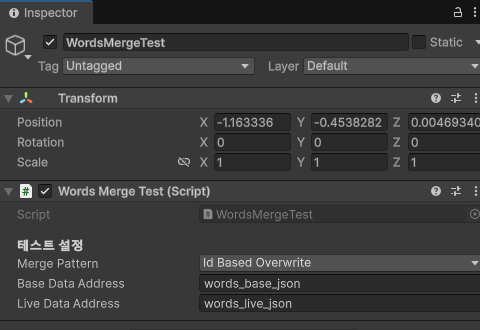
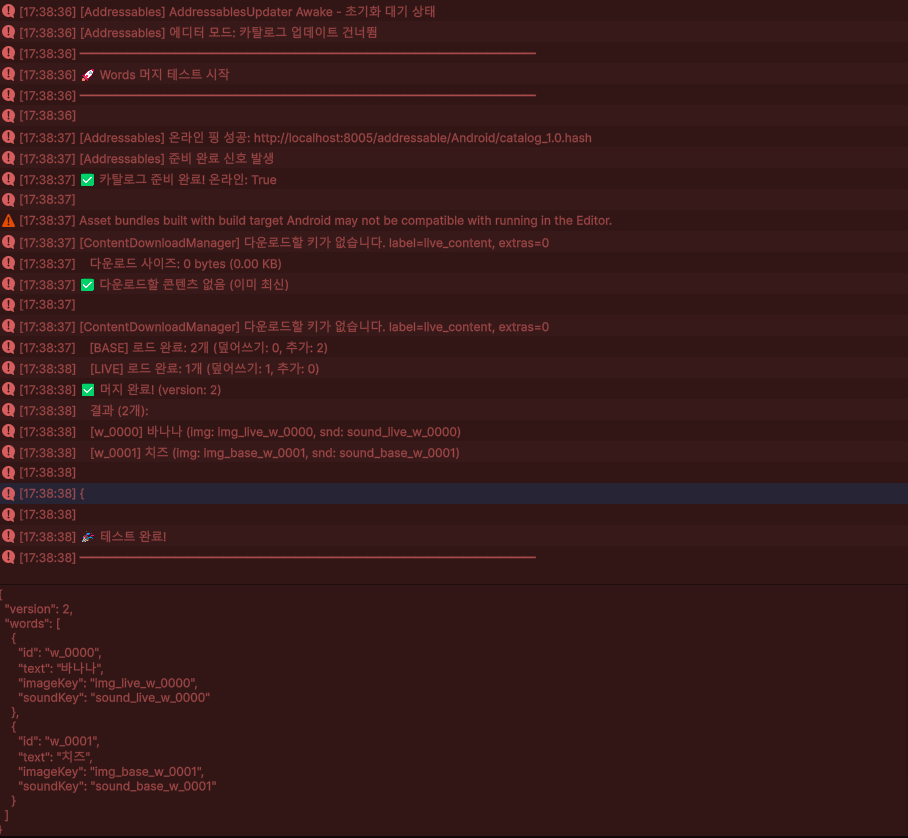
23) 실행 및 결과 확인.